| Actor |
Crew |
|
|
| Director |
George Lucas
|
| Producer |
Rick McCallum; George Lucas |
| Writer |
George Lucas |
| Cinematography |
David Tattersall; Nicholas D. Knowland |
| Musician |
John Williams |
|
| Plot |
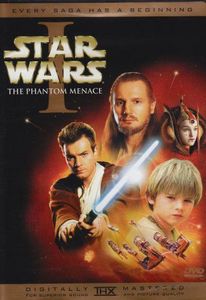
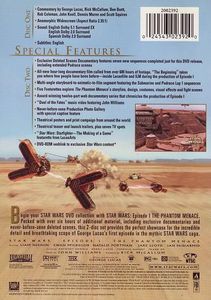
| Begin your STAR WARS DVD collection with 'STAR WARS Episode I THE PHANTOM MENACE'. Packed with over six hours of additional material, including exclusive documentaries and never-before-seen deleted scenes, this 2-disc set provides the perfect showcase for the incredible detail and breathtaking scope of George Lucas's first episode in the mythic STAR WARS saga. |
| Movie Details |
| Genre |
Science-Fiction; Action; Adventure |
| Studio |
|
20th Century Fox |
|
Lucasfilm Ltd. |
|
|
20th Century Fox Home Entertainment |
|
| Movie Release Date |
1999 |
| Country |
 USA USA
|
|
| Language |
English |
| Audience Rating |
PG |
| Running Time |
136 |
| Color |
Color |
|
| Features |
|
Disc 1:
|
Features |
Scene Access
Commentary
Movie Trailer
Deleted Scenes
Making Of...
Production Notes
DVD-Rom Content
Multiple Angles
Music Videos
Closed Captioned
THX Certified
|
Scene Access Commentary Movie Trailer Deleted Scenes Making Of... Production Notes DVD-Rom Content Multiple Angles Music Videos |
|
| Edition Details |
| Edition |
2PC |
| Region |
 |
1 |
|
| Screen Ratio |
 2.35 2.35 |
| Format |
DVD |
| Layers |
Single Side, Dual Layer |
| Barcode |
024543023920 |
| Release Date |
10/16/2001 |
| Subtitles |
English |
| Packaging |
Keep Case |
| Audio Tracks |
 English Dolby Digital English Dolby Digital
English Dolby Digital
Spanish Dolby Digital
Commentary Dolby Digital |
| No. of Discs/Tapes |
2 |
|
| Personal Details |
| Seen It |
No |
| Index |
168 |
| Collection Status |
In Collection |
| Purchase Date |
8/18/2002 |
|
|
Notes
|
Easter Eggs:
DISC ONE EASTER EGG: Hidden on of the first disc is a hilarious 2-minute gag reel, outtakes, and DVD Credits presentation for Star Wars: Episode I - The Phantom Menace. This small nugget alone is almost worth the price of the set. The number “1138” is forever branded into the minds of Star Wars fans everywhere, so it comes as no great shock that it is the key to an Easter Egg on this set. To access the gag reel and outtakes, from the “Options” menu on the first disc, first enter the number “11” (which will probably be “10+, 1” for most people, or possibly “1, 10+”), followed by “3,” and then “8.” Those that have trouble accessing this feature due to hardware conflicts can simply access Title 3 directly. DISC TWO EASTER EGGS: From the individual deleted scenes interface, there is a small button on one of the projector arms of the laser doors. To access this button, move up to the “Doc Menu” selection and press right. This button can only be activated from the first two scenes, and leads to introductory interviews and explanations that appear to be…get this…interview segments that have been deleted from the Deleted Scenes Documentary, which is almost enough to boggle the fanboy mind. Within the "Animatics and Still Galleries" section, don't make any selection and let the audio repeat twice. Wato will fly out and prod you to make a selection. Go to Television Spots / Tone Poems and let the menu cycle through. A holographic image of Darth Sidious will appear before Viceroy and say, "We must accelerate our plans." MENU EASTER EGG: That's right, folks, even the menus for this DVD have hidden tricks. For those that are partial to a particular planet from the film, there is a way to access each one specifically. All commands are entered at the “Attention” screen that follows the FBI Warning at the beginning of the disc. For Tatooine: Press and release the “2” button on the DVD remote. For Naboo: Press and release the “Audio” button on the DVD remote. For Coruscant: This one is a bit trickier, and may differ from player to player, but for remotes that use the “10+” button to access double digit numbers, forget that “10+” button, and quickly press the “2” button twice. If that doesn't work, you can also access Coruscant by pressing "4". |
| Links |

|
|